Free APK Polaris Office Original



Polaris Office


Program available in Windows Program license Free - System Android


Category : Writing & Notes
Program  : Free
Version  : 9.0.1
Size     : 61 MB
Works under : Android
Package name : Everyone
Votes : 88 Votes / Ratting : 4.5
Program by : com.infraware.office.link
Content rating - English

Watch Polaris Office Video Review 

Review - Polaris Office 

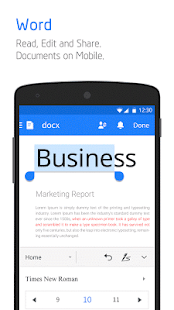
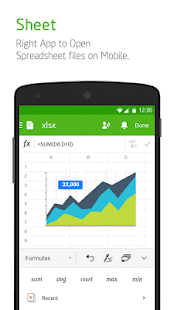
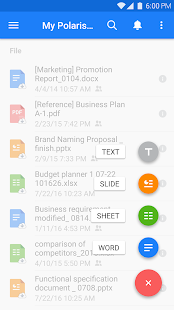
Polaris Office is an Android browser that is a limited version of the regular UC Browser. It has many of the same features that made the UC Browser popular. It is a great alternative browser if you want something simpler than the traditional browsers for Android.  Polaris Office has many great features. One feature is that it is a very fast browser for downloading files or watching videos. Another feature is that video playback can be controlled by gestures. Also, Polaris Office has an incognito mode to secure your privacy. The browser additionally has a Night Mode which makes it easier to read text when it is dark.  The browser is very well designed. The user-interface is very stylish and clean, letting you focus on what you are doing. The tab management is simpler and easier to use than it is for most Android browsers. A quick-search feature allows you to search right from the navigation bar. In addition, navigation cards allow you to get updates about news and events based on your location.  Pros:  Fast download speeds Intuitive user-interface Small and fast browser Many useful features  Cons:  Not as many features as in standard browsers Night Mode may not work well depending on system brightness settings Built-in download manager doesn’t always work as expected

Screenshots Polaris Office 


What Is New 

(function($) { $(function() { // Find all YouTube videos var $allVideos = $("#tabs-4 .vcontainer iframe"), // The element that is fluid width $fluidEl = $("#tabs-4 .vcontainer"); // Figure out and save aspect ratio for each video $allVideos.each(function() { $(this) .data('aspectRatio', this.height / this.width) // and remove the hard coded width/height .removeAttr('height') .removeAttr('width'); }); // When the window is resized $(window).resize(function() { var newWidth = $fluidEl.width(); // Resize all videos according to their own aspect ratio $allVideos.each(function() { var $el = $(this); $el .width(newWidth) .height(newWidth * $el.data('aspectRatio')); }); // Kick off one resize to fix all videos on page load }).resize(); }); })(jQuery);

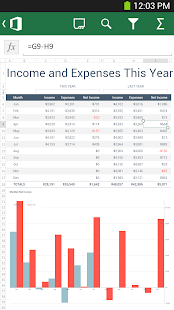
Free APK Office Mobile for Office 365 free unlock


Office Mobile for Office 365


Program available in English Program license Free - System Android


Category : Writing & Notes
Program  : Free
Version  : 15.0.5430.2000
Size     : 27 MB
Works under : Android
Package name : com.microsoft.office.officehub
Votes : 173 Votes / Ratting : 2.7
Program by : Microsoft Corporation One Microsoft Way
Content rating - Everyone

Watch Office Mobile for Office 365 Video Review 

Review - Office Mobile for Office 365 

Office Mobile for Office 365 is an Android browser that is a limited version of the regular UC Browser. It has many of the same features that made the UC Browser popular. It is a great alternative browser if you want something simpler than the traditional browsers for Android.  Office Mobile for Office 365 has many great features. One feature is that it is a very fast browser for downloading files or watching videos. Another feature is that video playback can be controlled by gestures. Also, Office Mobile for Office 365 has an incognito mode to secure your privacy. The browser additionally has a Night Mode which makes it easier to read text when it is dark.  The browser is very well designed. The user-interface is very stylish and clean, letting you focus on what you are doing. The tab management is simpler and easier to use than it is for most Android browsers. A quick-search feature allows you to search right from the navigation bar. In addition, navigation cards allow you to get updates about news and events based on your location.  Pros:  Fast download speeds Intuitive user-interface Small and fast browser Many useful features  Cons:  Not as many features as in standard browsers Night Mode may not work well depending on system brightness settings Built-in download manager doesn’t always work as expected

Screenshots Office Mobile for Office 365 


What Is New 

Potentially dangerous permissions GET_ACCOUNTS: Allows access to the list of accounts in the Accounts Service. READ_CONTACTS: Allows an application to read the user's contacts data. READ_EXTERNAL_STORAGE: Allows an application to read from external storage. WRITE_EXTERNAL_STORAGE: Allows an application to write to external storage. Other permissions ACCESS_NETWORK_STATE: Allows applications to access information about networks. ACCESS_WIFI_STATE: Allows applications to access information about Wi-Fi networks. GET_PACKAGE_SIZE: Allows an application to find out the space used by any package. INSTALL_SHORTCUT: Allows an application to install a shortcut in Launcher. INTERNET: Allows applications to open network sockets. RECEIVE_BOOT_COMPLETED: Allows an application to receive the ACTION_BOOT_COMPLETED that is broadcast after the system finishes booting. If you don't request this permission, you will not receive the broadcast at that time. Though holding this permission does not have any security implications, it can have a negative impact on the user experience by increasing the amount of time it takes the system to start and allowing applications to have themselves running without the user being aware of them. As such, you must explicitly declare your use of this facility to make that visible to the user. WAKE_LOCK: Allows using PowerManager WakeLocks to keep processor from sleeping or screen from dimming. android.permission.AUTHENTICATE_ACCOUNTS android.permission.MANAGE_ACCOUNTS android.permission.READ_USER_DICTIONARY android.permission.USE_CREDENTIALS android.permission.WRITE_USER_DICTIONARY com.android.vending.CHECK_LICENSE